Local LLM Inference on Legacy Hardware
Running a 35B Model on a GTX 1080
How to run Qwen3.6 35B on hardware that’s probably gathering dust somewhere.
Background
This video Running a 35B AI Model on 6GB VRAM by Codacus piqued my interest, as I’ve been trying out local models with LM Studio on a M4. I had to see if I could replicate their results on my old gaming PC.
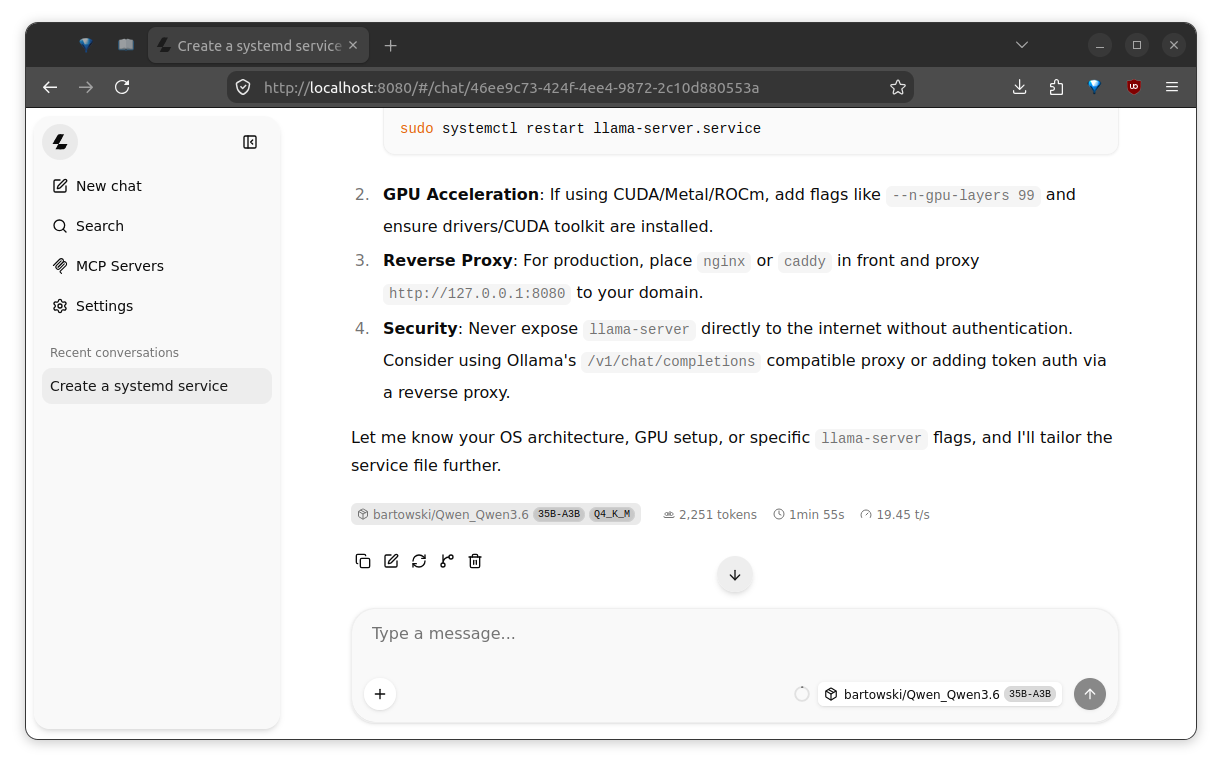
I’m getting around a ~20 token/second response rate on hardware that’s about to celebrate its 10th birthday. 🎂
Specs
- GPU: Zotac GeForce GTX 1080 Mini – 8GB VRAM
- MB: ASRock Z97M OC Formula – PCIe 3.0
- CPU: Intel Core i7-4790K @ 4.40GHz – Gen. 4 (I think they’re on 15, now.)
- RAM: Corsair 32GB (8GBx4) – DDR3
In 2026, everything about this PC screams, “Please, drop me off at the closest electronics recycling center!” ♻️
We’re going to use it for local model inference. 😈
Cost
The UPS is reporting ~70W when idle, and ~230W under load. Operational cost I’ll estimate to be 0.2kW * 8h * $0.15kWh, $0.24/day, $5.28/month, assuming it’s not working weekends. I’ll have to pull up some old receipts to know what this rig cost when I built it oh so long ago. Considering its age, and seeing as it is pulling double-duty running old FPSes and performing local model inference, I think we can safely call that line item negligible.
The remainder of the information here documents the steps on how to replicate these results on similar hardware.
OS and Drivers
- Ubuntu v22.04 LTS (Jammy Jellyfish) – fresh install
- NVIDIA Driver v570.211.01
- CUDA v12.6
Because CUDA drops support for Compute Capability 6.1 GPUs after CUDA v12.6, and Ubuntu wants to install nvidia-driver-580 by default, we have to do a bit of a dance with apt in order to get our dependencies aligned.
- Fall-back to the
nouveauvideo drivers:Software & Updates -> Additional Drivers -> GeForce 1080 -> Using X.Org X server -- Nouveau display driver... -> Apply Changes. Then, reboot. dpkg -l | grep nvidiaandsudo apt purgethe listed dependencies. Reboot.- Install the cuda-keyring, and then the
nvidia-driver-pinning-570.211.01,cuda-drivers-570packages. - Pin the driver version, so that
aptwon’t update it past major version570. - Install the CUDA Toolkit v12.6
Build llama-cpp with turboquant
$ git clone git@github.com:TheTom/llama-cpp-turboquant
$ cd llama-cpp-turboquant
# specify CUDACXX location, or add the path to nvcc to $PATH
$ export CUDACXX=/usr/local/cuda/bin/nvcc
$ cmake -S . -B build \
    -DGGML_CUDA=ON \
    -DCMAKE_CUDA_ARCHITECTURES=61
$ cmake --build build --config Release -j $(nproc)
Install hf CLI and models
$ curl -LsSf https://hf.co/cli/install.sh | bash
$ hf --install-completion
$ export HF_TOKEN=... # to auth w/ huggingface and enable faster downloads
$ hf download hf://bartowski/Qwen_Qwen3.6-35B-A3B-GGUF/Qwen_Qwen3.6-35B-A3B-Q4_K_M.gguf
Run llama-server
# from llama-cpp-turboquant/build
$ ./bin/llama-server \
    -hf bartowski/Qwen_Qwen3.6-35B-A3B-GGUF:Q4_K_M \
    --host 0.0.0.0 \
    --port 8080 \
    --cache-type-k turbo4 \
    --cache-type-v turbo3 \
    --load-mode mmap+mlock \
    --n-cpu-moe 36 \
    --fit-ctx 262144
Open localhost:8080, and prompt away! 🤖
Finally…
- Connect VSCode (VSCodium) to your running model. I like Continue.dev.
- Setup an agent harness such as pi.dev with the pi-llama-cpp extension.
- Ask your running model about llama.cpp CLI flags. (e.g. –
What does --cache-type-k turbo4 do when running llama.cpp?). - Experiment with other models, such as Gemma 4.
- Cancel your Claude subscription. 🤭